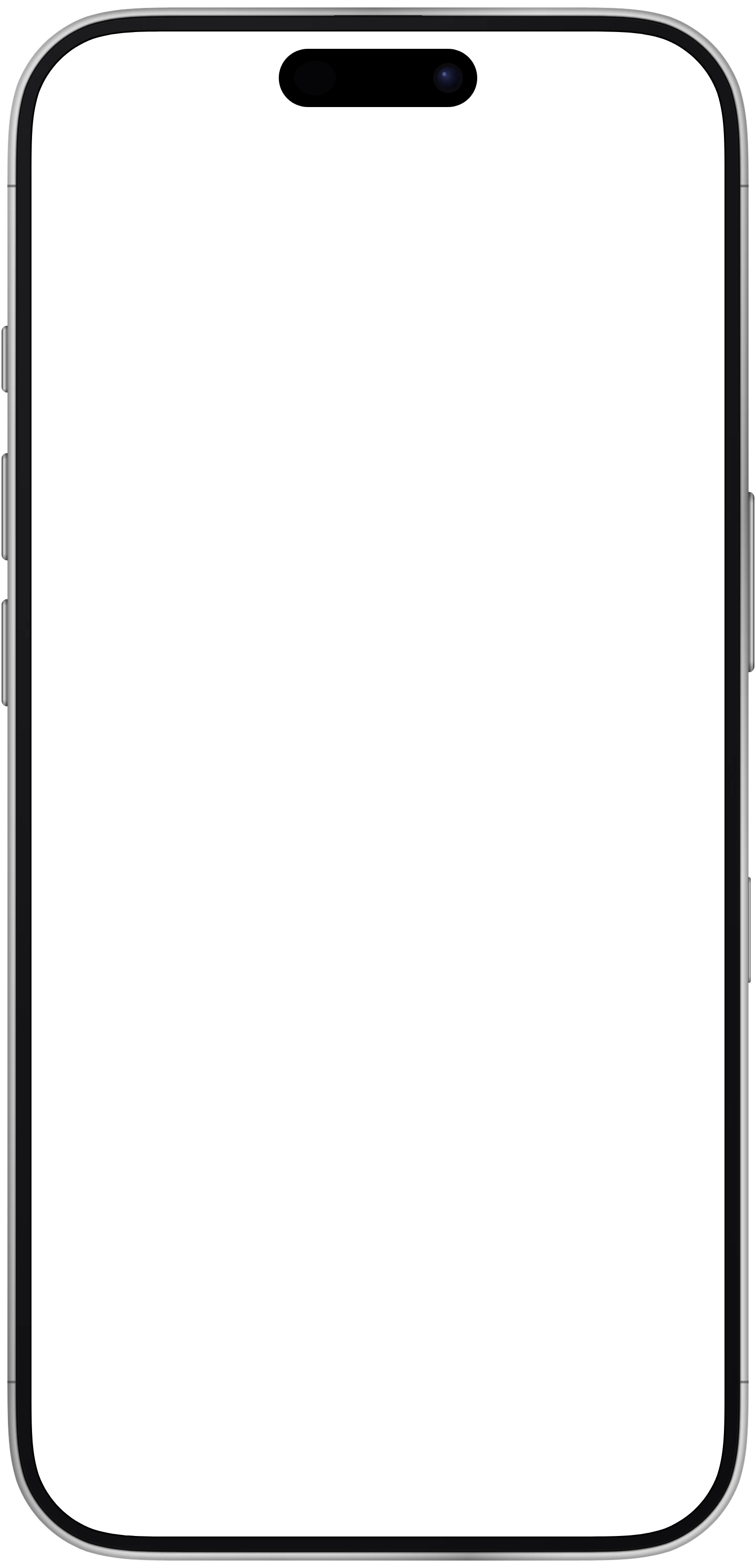
Catch the moment.
Watch your input levels, choose a microphone, and record. Optional pre-roll keeps up to ten seconds of sound buffered while the recorder is active, ready for the moment you press record.
T A P E F I E L D / A field recorder
Capture a passing sound and keep its place and story with it. Record on your iPhone, add notes and markers, then bring your favorite moments into your next project.
A closer look / T A P E F I E L D
A 30-second introduction to T A P E F I E L D. Catch a sound by the water, keep its story, and pick it up on your Mac.
A little closer
Watch your input levels, choose a microphone, and record. Optional pre-roll keeps up to ten seconds of sound buffered while the recorder is active, ready for the moment you press record.
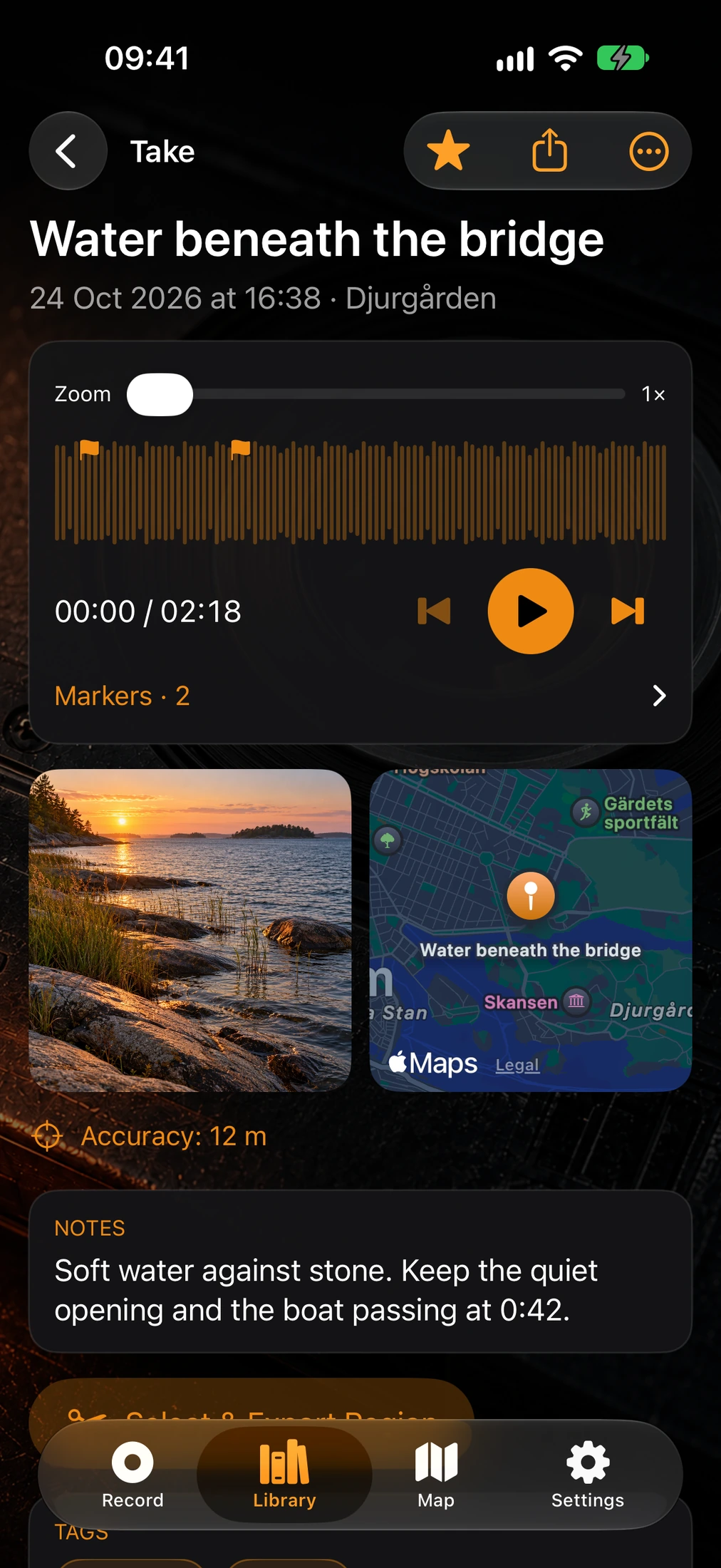
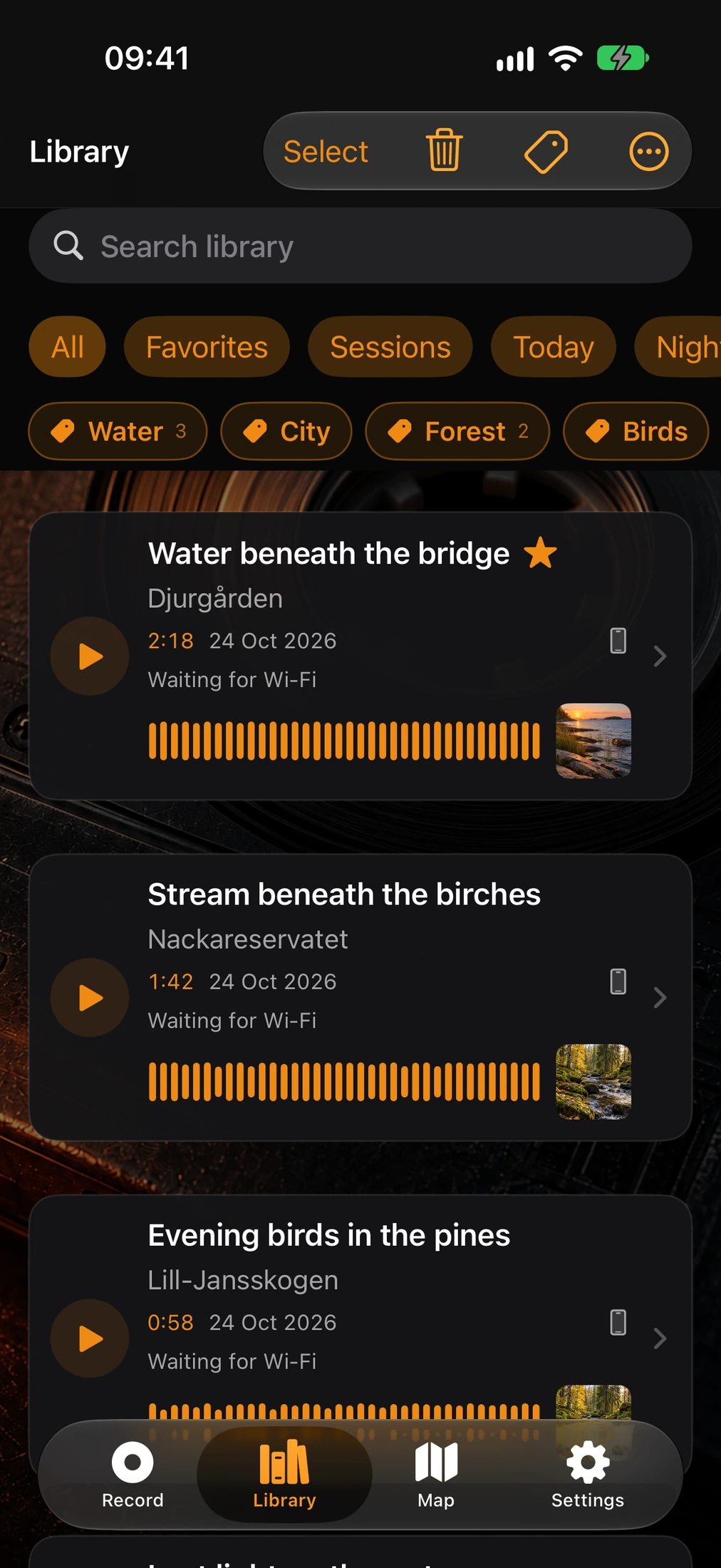
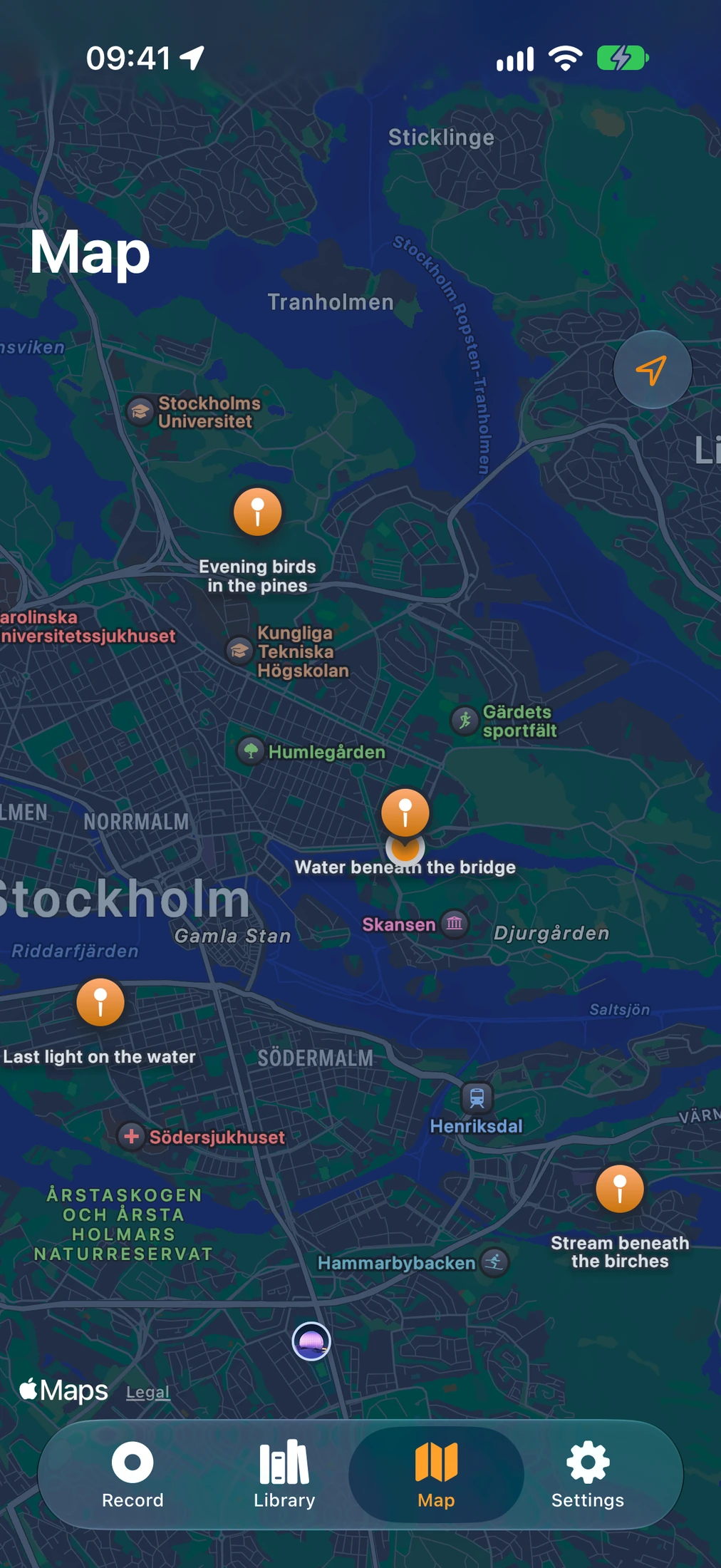
Add notes, markers, tags, a photo, and location to a take. Find it again in a searchable library and listen straight from its waveform.
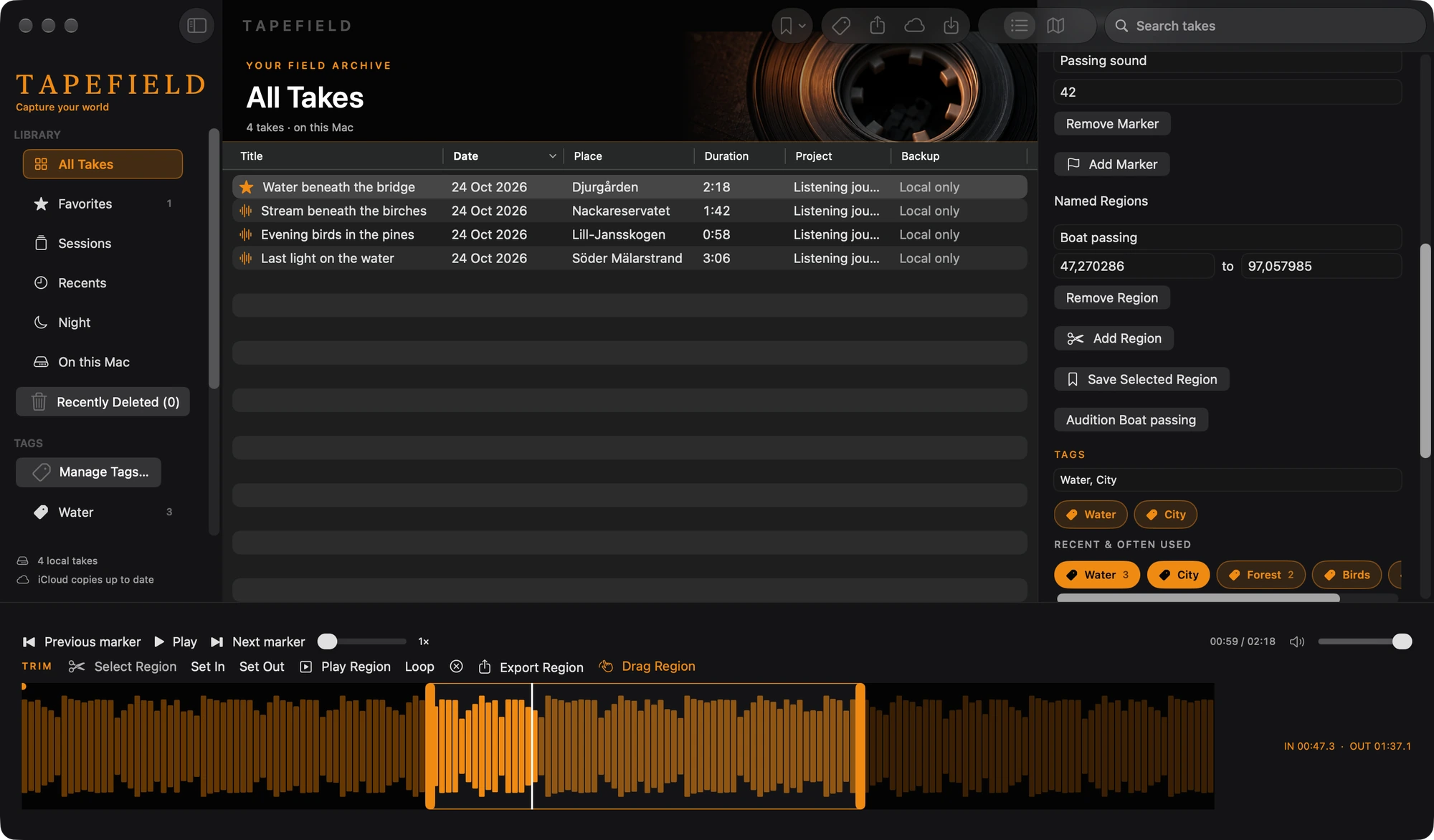
Trim a recording or select a region to export. Share audio or a portable Take Packet that keeps the recording and its annotations together. On a Mac, drag a selected region straight into your project.
A closer look / T A P E F I E L D
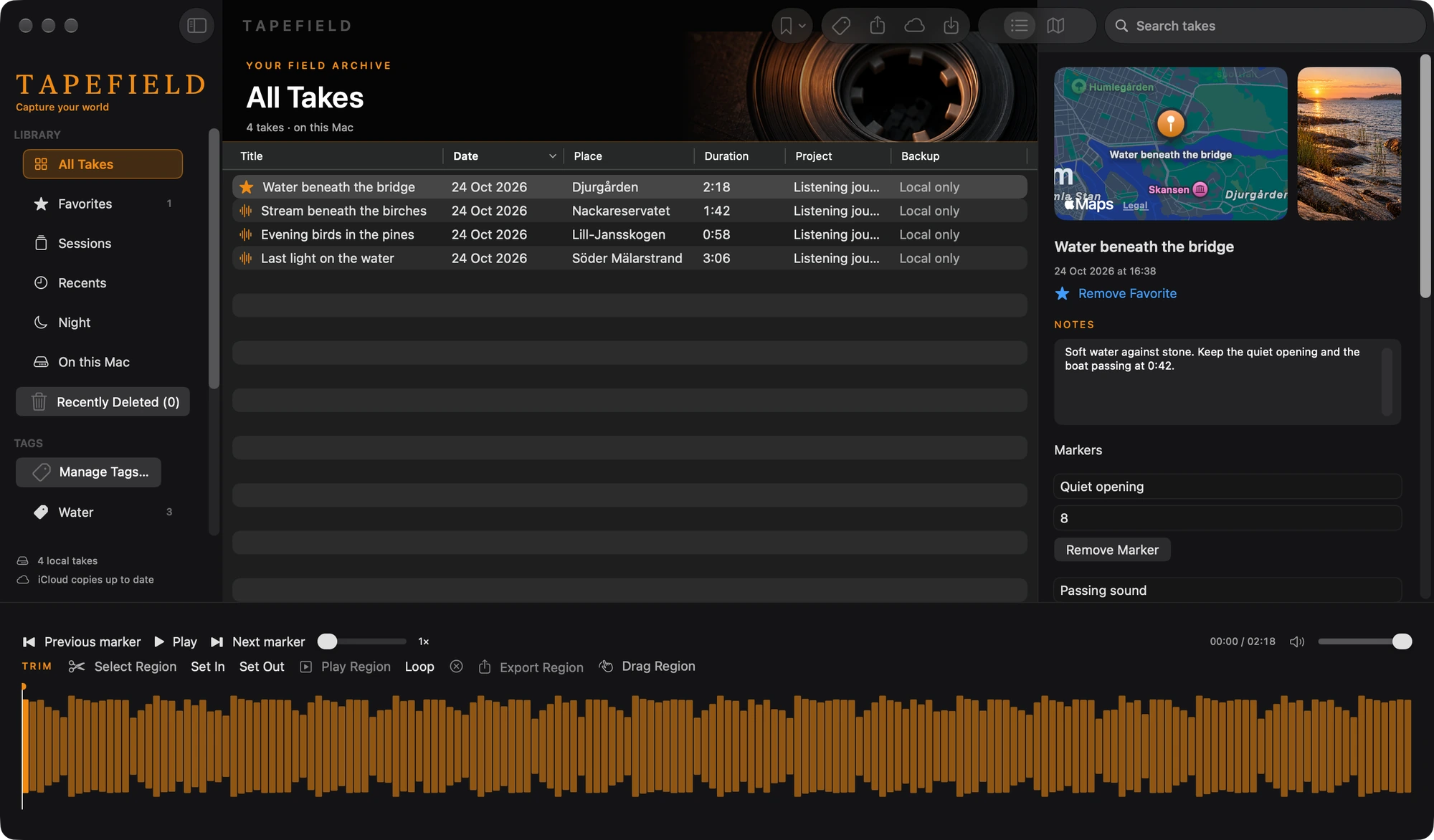
The Mac library shows the same takes with their photo, map, notes, and markers. Select a region on the waveform, give it a name, and drag it into your project as a WAV. The original recording stays as it was.
In the picture
Your next discovery
Something good is on its way. Release details will appear here when T A P E F I E L D is ready.
No. Pre-roll buffers up to ten seconds while the recorder is active. A cold launch cannot recover sound from before the app was running.
No. Recordings remain available locally. Private iCloud sync is optional, and Take Packets let you move audio and annotations without iCloud.
The development project includes a paired Apple Watch remote and a Mac library app. The Watch controls recording on the iPhone; it does not record on its own. The Mac app opens your takes through private iCloud sync or Take Packets, lets you search, play, and edit them, and exports regions as WAV files. It does not record. Public release support will be confirmed before launch.
T A P E F I E L D is coming to iOS. Release details and pricing have not been announced; its App Store link will appear here when it is available.